
更新日志
创建文章
2026-03-18- 撰写初版文章
前言
其实早在之前我就因为寻找 2FA 的软件找到了 Ente Auth,并且知道了服务端是支持自部署的。但是由于 Ente 是一个全家桶服务,但是我也只需要 2FA 的功能,再之当时我部署了 Immich 不需要 Ente Photos 的功能,服务器的配置也不足以支持全家桶,我就没有部署了。
现在为什么又需要了呢,因为我的 Immich 的存储位置是通过挂载S3的方式进行的,效率奇差,我也确实需要 2FA 自动备份的功能,当时我使用的是 Aegis,只能自动备份到本地,还是不太方便。得益于 Ente Photos 支持 S3 存储,Ente Auth 自动备份云端,且 Ente 全家桶优美的UI布局和我购置了一台 4C16G 的轻量服务器,已经有条件有需求部署 Ente 全家桶,遂进行。
环境
- 可以访问外网的 Linux 服务器
- Docker
- Docker Compose
- 域名
如下是我的配置:
root@10-23-233-143:~# echo "🔹 系统版本: $(lsb_release -d | cut -f2-)"; echo "🔹 CPU 核心数: $(nproc) 核"; echo "🔹 内存大小: $(free -h | awk '/^Mem:/ {print $2}')"; echo "🔹 磁盘空间 (根目录): $(df -h / | awk 'NR==2 {print "总计 " $2 " | 已用 " $3 " | 可用 " $4 " | 使用率 " $5}')"🔹 系统版本: Ubuntu 24.04.4 LTS🔹 CPU 核心数: 4 核🔹 内存大小: 15Gi🔹 磁盘空间 (根目录): 总计 96G | 已用 14G | 可用 83G | 使用率 14%部署
TIP此处默认已经安装 Docker、Docker Compose 和 traefik,如未安装,可参考如下安装教程:
- Docker:Docker 安装
- Docker Compose:Docker Compose 安装
- traefik:使用 Traefik 作为 Docker 的反向代理
创建目录 /opt/docker/ente 作为容器运行目录。
mkdir -p /opt/docker/entecd 进入该目录,创建必要的一些文件,并且使用你熟悉的编辑器进行编辑,在此处我使用 vim。
cd /opt/docker/entetouch docker-compose.yml .env museum.yamldocker-compose.yml 键入以下内容:
services: museum: image: ghcr.io/ente-io/server:latest container_name: ente-museum depends_on: postgres: condition: service_healthy env_file: - .env volumes: - ./museum.yaml:/museum.yaml:ro - ./data/museum:/data:ro networks: - proxy labels: - "traefik.enable=true" - "traefik.docker.network=proxy" - "traefik.http.routers.museum.rule=Host(`api.ente.peean.net`)" # 服务器端点,自行修改 - "traefik.http.routers.museum.entrypoints=websecure" - "traefik.http.routers.museum.tls.certresolver=edgeone" # 我使用的腾讯云边缘加速 EdgeOne,根据自己 traefik 配置自行修改 - "traefik.http.routers.museum.service=museum" - "traefik.http.services.museum.loadbalancer.server.port=8080"
postgres: image: postgres:15 container_name: ente-postgresql env_file: - .env environment: - POSTGRES_USER=${POSTGRES_USER} - POSTGRES_PASSWORD=${POSTGRES_PASSWORD} - POSTGRES_DB=${POSTGRES_DB} networks: - proxy healthcheck: test: ["CMD-SHELL", "pg_isready -d $${POSTGRES_DB} -U $${POSTGRES_USER}"] start_period: 40s start_interval: 1s volumes: - ./data/postgresql:/var/lib/postgresql/data
web: image: ghcr.io/ente-io/web container_name: ente-web env_file: - .env environment: - ENTE_API_ORIGIN=${ENTE_API_ORIGIN} - ENTE_ALBUMS_ORIGIN=${ENTE_ALBUMS_ORIGIN} - ENTE_PHOTOS_ORIGIN=${ENTE_PHOTOS_ORIGIN} networks: - proxy labels: - "traefik.enable=true" - "traefik.docker.network=proxy" - "traefik.http.routers.web.rule=Host(`photos.ente.peean.net`)" # Photos - "traefik.http.routers.web.entrypoints=websecure" - "traefik.http.routers.web.tls.certresolver=edgeone" - "traefik.http.routers.web.service=web" - "traefik.http.services.web.loadbalancer.server.port=3000"
- "traefik.http.routers.accounts.rule=Host(`accounts.ente.peean.net`)" # Accounts - "traefik.http.routers.accounts.entrypoints=websecure" - "traefik.http.routers.accounts.tls.certresolver=edgeone" - "traefik.http.routers.accounts.service=accounts" - "traefik.http.services.accounts.loadbalancer.server.port=3001"
- "traefik.http.routers.albums.rule=Host(`albums.ente.peean.net`)" # Albums - "traefik.http.routers.albums.entrypoints=websecure" - "traefik.http.routers.albums.tls.certresolver=edgeone" - "traefik.http.routers.albums.service=albums" - "traefik.http.services.albums.loadbalancer.server.port=3002"
- "traefik.http.routers.auth.rule=Host(`auth.ente.peean.net`)" # Auth - "traefik.http.routers.auth.entrypoints=websecure" - "traefik.http.routers.auth.tls.certresolver=edgeone" - "traefik.http.routers.auth.service=auth" - "traefik.http.services.auth.loadbalancer.server.port=3003"
- "traefik.http.routers.cast.rule=Host(`cast.ente.peean.net`)" # Cast - "traefik.http.routers.cast.entrypoints=websecure" - "traefik.http.routers.cast.tls.certresolver=edgeone" - "traefik.http.routers.cast.service=cast" - "traefik.http.services.cast.loadbalancer.server.port=3004"
- "traefik.http.routers.share.rule=Host(`share.ente.peean.net`)" # Locker - "traefik.http.routers.share.entrypoints=websecure" - "traefik.http.routers.share.tls.certresolver=edgeone" - "traefik.http.routers.share.service=share" - "traefik.http.services.share.loadbalancer.server.port=3005"
- "traefik.http.routers.embed.rule=Host(`embed.ente.peean.net`)" # Embed - "traefik.http.routers.embed.entrypoints=websecure" - "traefik.http.routers.embed.tls.certresolver=edgeone" - "traefik.http.routers.embed.service=embed" - "traefik.http.services.embed.loadbalancer.server.port=3006"
- "traefik.http.routers.paste.rule=Host(`paste.ente.peean.net`)" # Paste - "traefik.http.routers.paste.entrypoints=websecure" - "traefik.http.routers.paste.tls.certresolver=edgeone" - "traefik.http.routers.paste.service=paste" - "traefik.http.services.paste.loadbalancer.server.port=3008"
networks: proxy: external: truetraefik 相关配置请根据自己的实际情况配置。
.env 键入以下内容:
# Copy this file to .env in the same directory in which this file is present# This file contains the environment variables needed for Ente's cluster to run properly.# This file is split based on services declared in Docker Compose file## Service: Postgres# This is used for storing data in database pertaining to collections, files, users, subscriptions, etc.# These credentials are needed for accessing the database via Museum.# Please set a strong password for accessing the database.# Enter these values in museum.yaml file under `db`.# This need not be defined if using external DB (i. e. no Compose service for PostgreSQL is used)POSTGRES_USER=entePOSTGRES_PASSWORD=<STRONG_STRONG_POSTGRES_PASSWORD>POSTGRES_DB=ente
# Service: Web# This is used for configuring public albums, API endpoints, etc.# Replace the below endpoints to the correct subdomains of your choice.ENTE_API_ORIGIN=https://api.ente.peean.netENTE_ALBUMS_ORIGIN=https://albums.ente.peean.netENTE_PHOTOS_ORIGIN=https://photos.ente.peean.net其中,各项配置根据实际情况调整,POSTGRES_PASSWORD 请一定要替换为强密码。更多配置请参照官方文档对于 Environment Variables 的描述。
museum.yaml 键入以下内容:
# Databasedb: host: postgres port: 5432 name: ente user: ente password: <STRONG_STRONG_POSTGRES_PASSWORD>
# Object Storages3: # Change this to false if enabling SSL are_local_buckets: false # Only path-style URL works if disabling are_local_buckets with MinIO use_path_style_urls: false # Primary hot storage bucket configuration b2-eu-cen: # Uncomment the below configuration to override the top-level configuration key: <ACCESS_KEY_ID> secret: <SECRET_ACCESS_KEY> endpoint: <ENDPOINT_ADDRESS> region: <REGION_AREA> bucket: <BUCKET_NAME> # Secondary hot storage configuration wasabi-eu-central-2-v3: key: <ACCESS_KEY_ID> secret: <SECRET_ACCESS_KEY> endpoint: <ENDPOINT_ADDRESS> region: <REGION_AREA> bucket: <BUCKET_NAME> compliance: false # Cold storage bucket configuration scw-eu-fr-v3: key: <ACCESS_KEY_ID> secret: <SECRET_ACCESS_KEY> endpoint: <ENDPOINT_ADDRESS> region: <REGION_AREA> bucket: <BUCKET_NAME>
# App Endpointsapps: # If you're running a self hosted instance and wish to serve public links, # set this to the URL where your albums web app is running. public-albums: https://albums.ente.peean.net public-locker: https://share.ente.peean.net public-paste: https://paste.ente.peean.net cast: https://cast.ente.peean.net # Embed app base endpoint for embedded sharing embed-albums: https://embed.ente.peean.net # Set this to the URL where your accounts web app is running, primarily used for # passkey based 2FA. accounts: https://accounts.ente.peean.net
# Encryption Keyskey: # Key for encrypting user emails encryption: <ENCRYPTION_kEY> # Hash key hash: <HASH_KEY>
# JWTjwt: # Secret for signing JWTs secret: <JWT_SECRET>
# Emailsmtp: host: smtp.feishu.cn port: 465 # Optional username and password if using local relay server username: <SMTP_USERNAME> password: <SMTP_PASSWORD> # Email address used for sending emails (this mail's credentials have to be provided) email: <SMTP_EMAIL> # Optional name for sender sender-name: <SMTP_SENDER_NAME> # Optional encryption, encryption method (tls, ssl) encryption: ssl
# WebAuthn Passkey Supportwebauthn: rpid: ente.peean.net rporigins: - https://albums.ente.peean.net - https://share.ente.peean.net - https://paste.ente.peean.net - https://cast.ente.peean.net - https://embed.ente.peean.net - https://accounts.ente.peean.net
# Replication# By default, replication of objects (photos, thumbnails, videos) is disabled and only one bucket is used.# To enable replication, set replication.enabled to true. For this to work, 3 buckets have to be configured in total.replication: # Enable replication across buckets enabled: true # Number of goroutines for replication worker-count: 6 # Temp directory for replication tmp-storage: tmp/replication其中,以下几点注意修改:
db.password必须与.env中的POSTGRES_PASSWORD一致。s3的配置根据需求修改,具体可参照官方文档的 Object Storage 部分,这里我启用了冷热备份,故需要三个存储桶。apps部分使用自己的域名进行替换。key和jwt部分可以clone官方git仓库生成,如果不想可使用如下命令生成:Terminal window echo "key.encryption: $(openssl rand -base64 32)"; echo "key.hash: $(openssl rand -base64 64 | tr -d '\n')"; echo "jwt.secret: $(openssl rand -base64 32 | tr '/+' '_-' | tr -d '=')"smtp部分使用你将使用的邮件提供商的配置,我这选择的是飞书的免费域名邮箱。由于配置了 SMTP,首次进入系统注册时将会通过 SMTP 向注册邮箱发送验证码,所以这块配置必须正确,否则将会因为无法发送验证码而报错,这边encryption必须配置,虽然写着可选,但是由于我未配置出现问题了,找半天问题才找到。如果不配置SMTP,验证码将会通过容器日志的方式进行打印,具体还请参考官方文档 Step 1: Creating first user。webauthn关系到是否可以使用 Passkey,rpid使用主域名,比如:webauthn:rpid: example.comrporigins:- https://auth.example.com- https://photos.example.comreplication决定了是否启用存储桶复制,如果不需要,就不用配置三个存储桶了。
接下来就可以愉快的启动容器了!
docker compose pull && docker compose up -d启动成功后即可通过 photos.ente.peean.net 访问 Ente Photos 了,注册第一个账户。
服务端配置
此时,你应该发现并且发问:为什么存储只有 10G?
是的,默认空间就是 10G,由于 Ente Photos 没有可视化控制界面,所以扩容需要通过官方的 CLI 工具进行修改。
这边选择直接下载 CLI 工具的二进制包的方式。
ente-cli
其实这一块官方文档亦有详细描述,可参照 Ente CLI for self-hosted instance。
release 请查看:ente-cli。
mkdir -p /opt/ente-cli/export && cd /opt/ente-cliwget https://github.com/ente-io/ente/releases/download/cli-v0.2.3/ente-cli-v0.2.3-linux-amd64.tar.gztar -zxvf ente-cli-v0.2.3-linux-amd64.tar.gz && rm ente-cli-v0.2.3-linux-amd64.tar.gz先导入环境变量,否则会报错。(无需先行创建 secrets.txt)
export ENTE_CLI_SECRETS_PATH=./secrets.txt接下来在该目录下创建配置文件 config.yml,并且键入以下内容(域名替换为自己的):
# Set the API endpoint to your domain where Museum is being served.endpoint: api: https://api.ente.peean.net然后添加账户 ./ente account add,根据交互性提示操作即可:
root@10-23-233-143:/opt/ente-cli# ./ente account addEnter app type (default: photos): photosEnter export directory: exportEnter email address: <EMAIL_ADDR>Enter password:Please wait authenticating...Enter TOTP: 981304Account added successfullyrun `ente export` to initiate export of your account dataTIP此处键入密码是不显示的,不是没有输进去,接着操作即可。
输入账号密码,如果启用了双因素认证,还需要输入 TOTP,然后一切照常就能 successfully 了。
查看账户 ./ente account list:
root@10-23-233-143:/opt/ente-cli# ./ente account listConfigured accounts: 1====================================Email: <EMAIL_ADDR>ID: 1580559962386438App: photosExportDir: export====================================如果仅自用,可以禁用注册。
cd /opt/docker/entevim museum.yaml编辑 museum.yaml 文件,新增以下内容:
# Internalinternal: # List of admin user IDs admins: - 1580559962386438 # Disable user registration disable-registration: trueinternal.admins配置管理员列表,这里只添加了刚刚注册的用户,用户 ID 在上述步骤./ente account list可以查看到。internal.disable-registration代表禁用注册。
然后重启服务:
docker compose downdocker compose up -d回到 cli 目录,进行扩容操作:
./ente admin update-subscription -u <EMAIL_ADDR>回到网页端再次查看,可以看到空间变成 100T 了,便完成了扩容操作。
客户端配置
此处以 Ente Photos 为例,Ente Auth 和 Ente Locker 配置差不多,自行探究。
软件下载地址:Installing Ente Photos | Ente Help,根据使用平台自行选择下载渠道。
打开软件进入初始化界面,默认链接的是官方服务器端点,直接注册登录将链接到 https://api.ente.io,但是我们这需要链接到我们自部署的服务器端点。
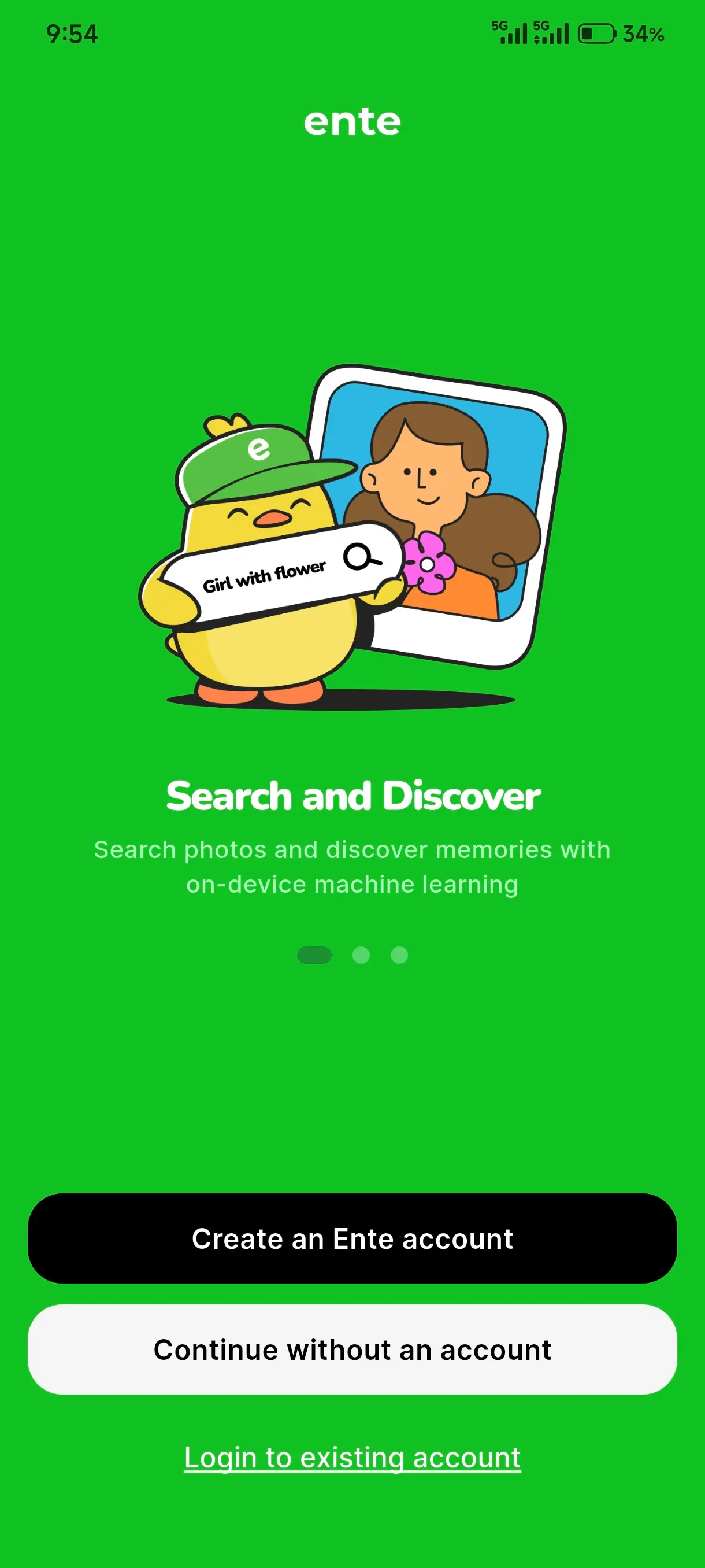
快速点击 7 次界面上的 ducky(就是界面上的鸭鸭啦!),将会弹出开发者设置弹窗,点击 是。
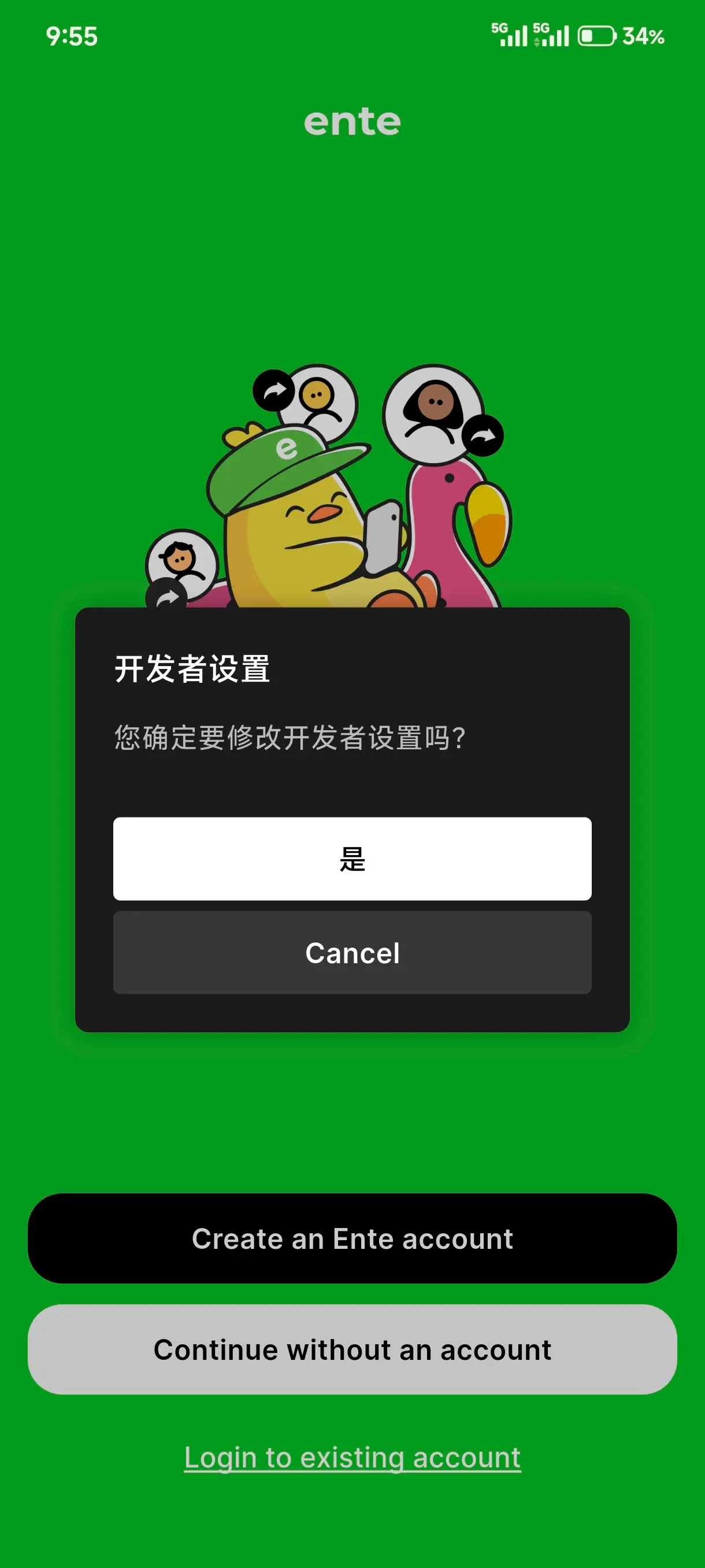
现在,可以修改服务器端点,比如我这是 https://api.ente.peean.net。

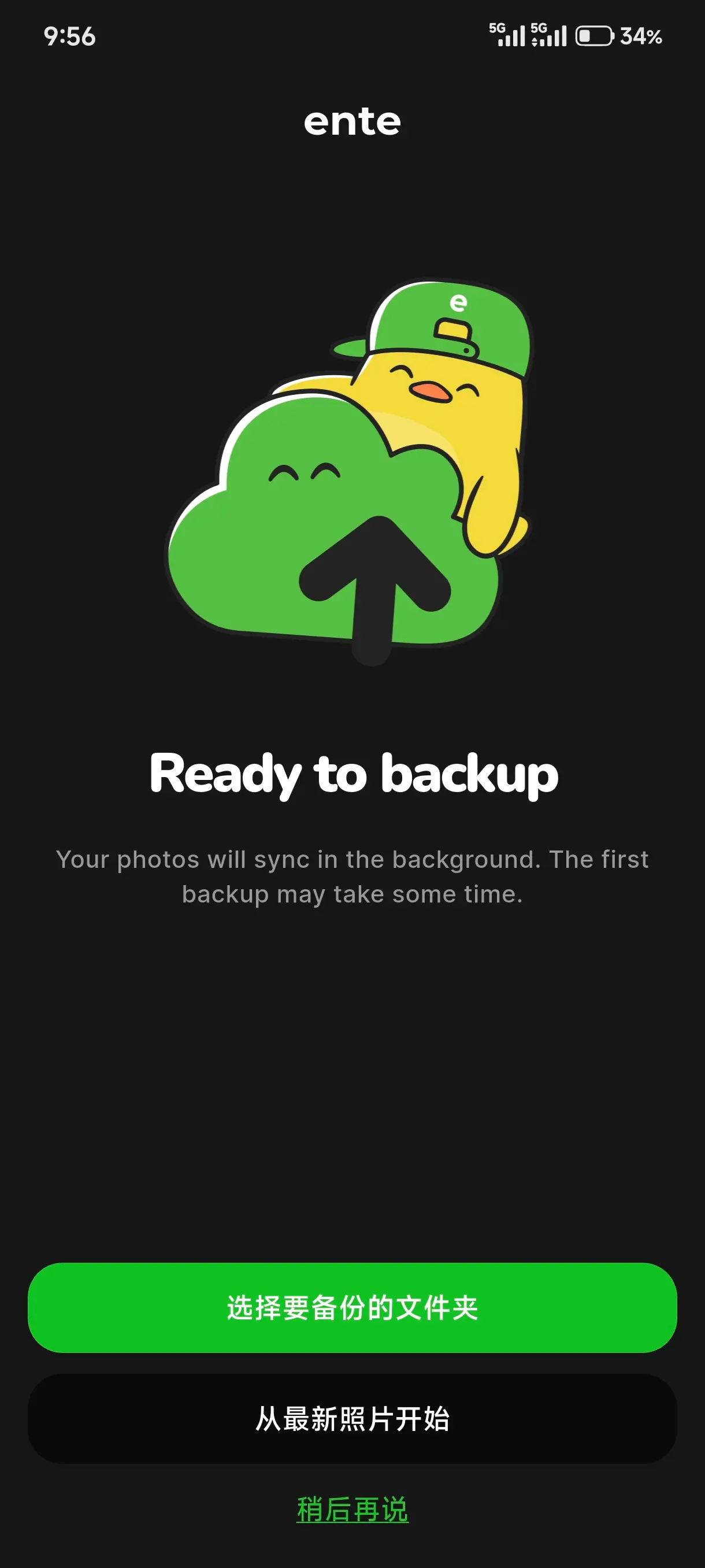
修改完后再进行登录,登录后会要求文件管理权限,因为要备份照片嘛。授予权限后将会快速扫描设备,要求你选择需要备份的文件夹,此处先选择 稍后再说。
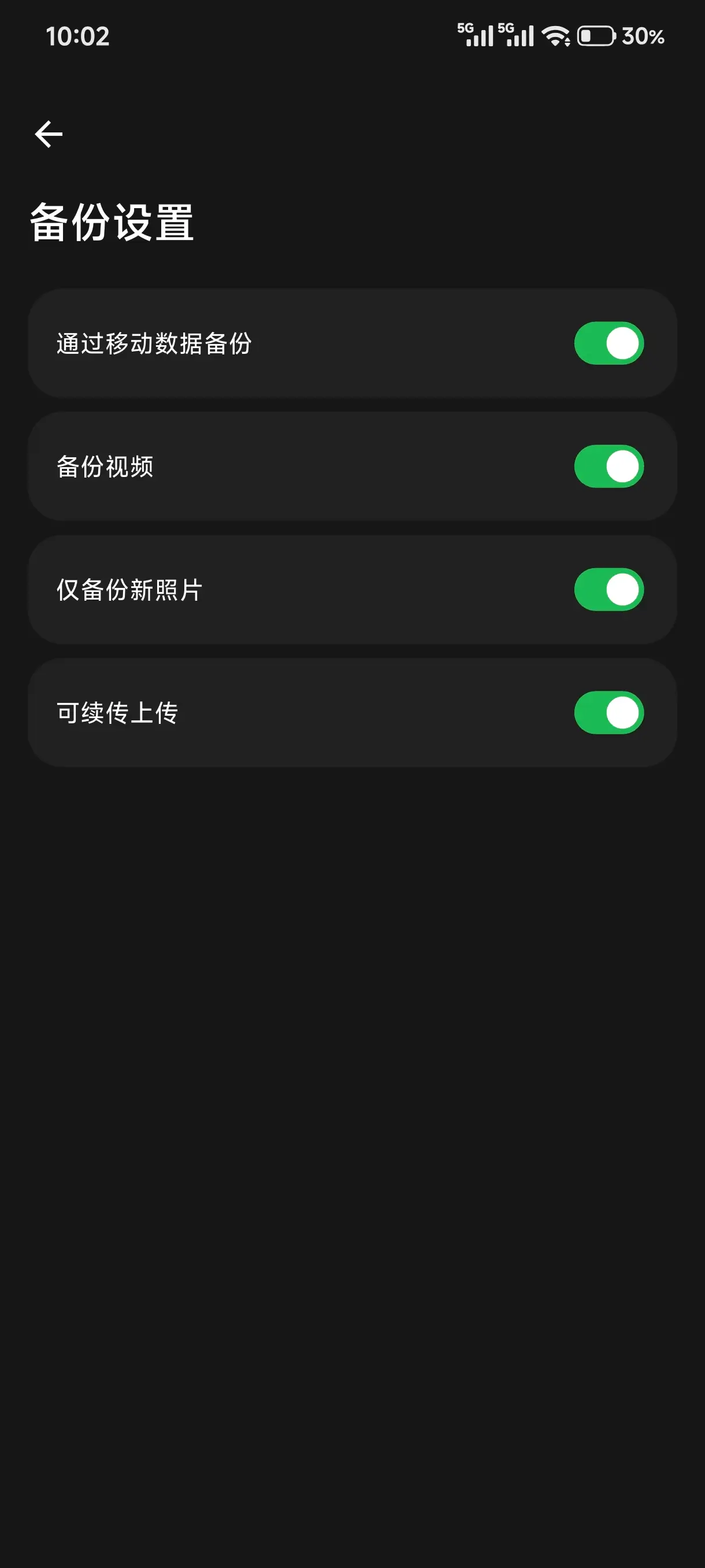
先进入设置,配置好备份设置。路径 备份 → 备份设置,开启 仅备份新照片,然后再选择需要备份的文件夹开始备份吧!如果不开启 仅备份新照片,退出登录重新登录,又会全部扫描一遍再显示上传,虽然并不会重复上传,但还是避免这种情况为好。